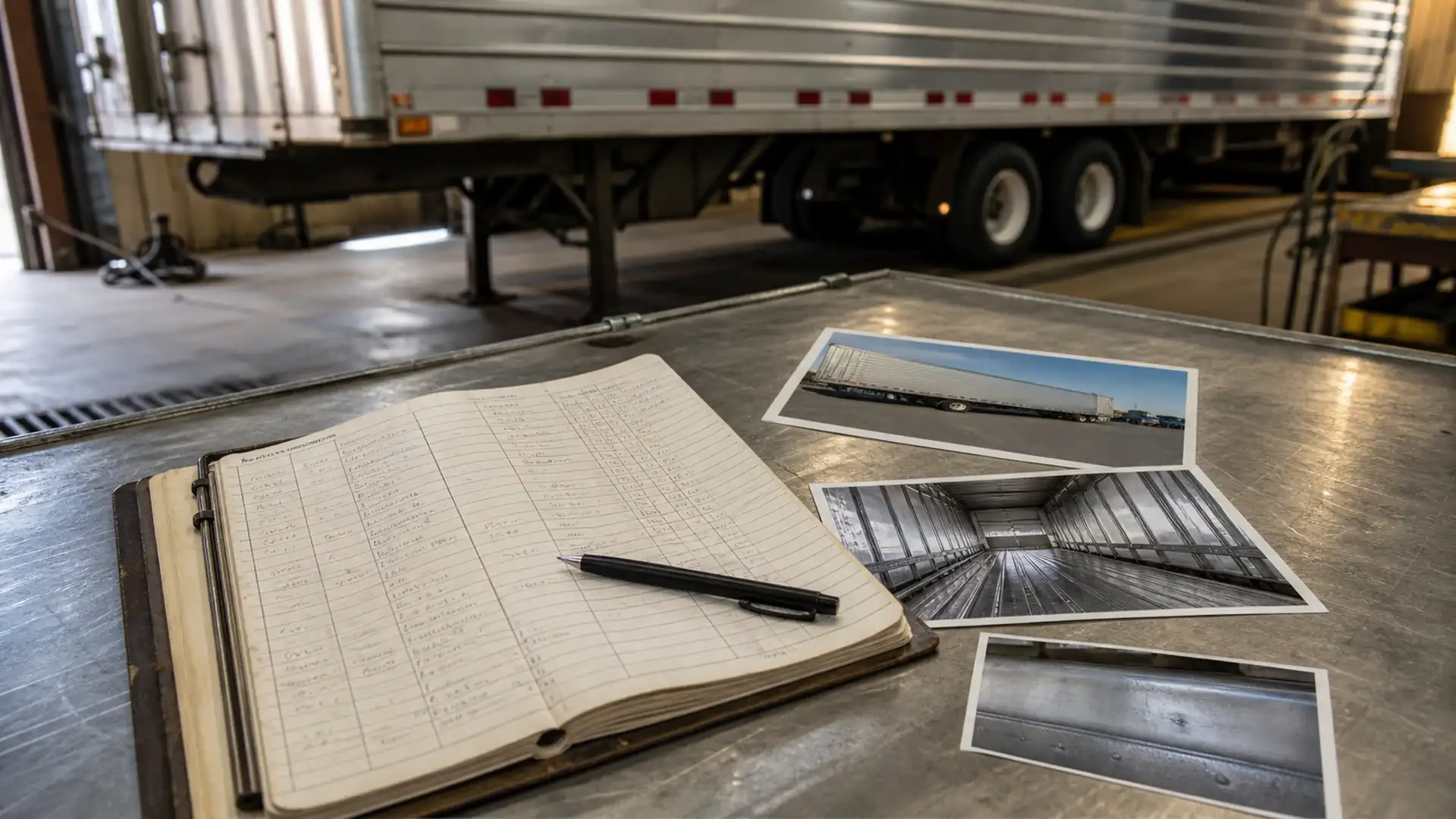
How to keep a useful trailer repair and symptom log
A trailer repair and symptom log turns scattered observations into a service history. Instead of relying on memory when a crack, leak, unusual movement or recurring repair appears, the owner or fleet manager can record what changed, when it happened and what was done afterward.
The log does not diagnose a failure. Its purpose is to give a repair shop accurate context before the unit arrives and to help a fleet recognize patterns across inspections and service visits.
Brothers Truck Trailer Repair and Welding Corp. serves commercial trucks and trailers from its workshop at 1620 S 51st St, Tampa, FL 33619. The shop’s confirmed services include truck maintenance, trailer repair, Walking Floor service, aluminum welding, fabrication and parts assistance.
Why a symptom log helps
A useful record can help you:
Explain a symptom without trying to name its cause.
Compare a new observation with the unit’s earlier condition.
Identify whether a change is stable, recurring or progressing.
Tell the shop what repairs, impacts or component work came first.
Prepare clearer photos, videos and service questions.
Keep fleet operations, drivers and maintenance contacts aligned.
The record is especially valuable when the person who noticed the symptom is not the person who schedules the repair. A short, factual entry can preserve the details that are otherwise lost between a shift and a service call.
The eight fields for every log entry
Use one entry for each distinct observation. Add the following fields:
| Field | What to record |
|---|---|
| Date and time | When the symptom was noticed, using the fleet’s normal time zone or record format. |
| Unit identity | Truck or trailer number, make, model and visible system information when available. |
| Location | Side, section or component area; use plain language and a safe reference point. |
| Operating condition | Loaded, empty, moving, parked, unloading or another relevant condition. |
| Direct observation | What was seen, heard or felt without naming an unconfirmed cause. |
| Change over time | New, recurring, gradual, worse, unchanged or no longer visible. |
| Related history | Recent repair, welding, impact, maintenance, load or component work. |
| Evidence and action | Photo, safe video, prior invoice, call made or next step requested. |
If a field is unknown, write “not observed” or “not available” rather than filling it with a guess.
Describe what happened, not what you think failed
An entry such as “the right side is broken” does not tell the shop when the condition appears or what changed. A more useful description identifies the observable facts:
A new rubbing mark is visible near a trailer support.
The Walking Floor pauses during one part of its sequence.
A wet area appears near a hydraulic hose after operation.
A crack looks different from the last photograph.
A previous weld is present near the current visible opening.
These descriptions leave the cause open for inspection while preserving the evidence that guides the first conversation.
Add a location reference that another person can understand
Use more than “rear” or “left side” when possible. Combine the side with a section or nearby fixed feature, such as:
Front, center or rear section.
Driver or curb side.
Near a visible support, seam, hinge or access point.
Above, below or beside a component that can be photographed safely.
Take a wide photo before a close-up. The close-up shows the mark; the wide photo shows where it belongs on the unit. Do not enter a movement path or remove a cover to improve the location reference.
Log Walking Floor symptoms as a sequence
Walking Floor complaints can be easier to explain when the log follows the sequence of movement. Record:
Whether the trailer was loaded or empty.
Which section appeared to hesitate, move unevenly or make contact.
Whether the change occurred at the beginning, middle or end of the cycle.
Any new noise, vibration, rubbing, visible residue or fluid trace.
Whether the symptom was repeated or observed only once.
Do not repeatedly activate the system just to obtain a recording if movement is restricted, unexpected or potentially unsafe. A safe description of what already happened is more useful than a risky test.
Record structure and welding observations
For a crack, deformation, separation or previous weld, add:
The material or area as it appears from a safe position.
The approximate length or spread only if it can be observed without manipulating the damage.
Whether the surrounding surface shows rubbing, impact or additional deformation.
Whether the condition appeared after a known event.
The date and general scope of the last repair, if known.
Avoid grinding, painting, sealing, straightening or cleaning away residue before the shop has the opportunity to review the original condition. A photograph and a factual timeline may help define whether the visible line is localized or connected to a broader issue.
Keep a repair history beside the symptom log
A symptom can return months after the original work, and a new operator may not know what was repaired. For each service visit, keep:
Date and unit identity.
Shop contacted and reason for the visit.
Observed symptom at the time of service.
Work discussed or completed, without rewriting the shop’s technical findings.
Parts or components identified by the shop, if applicable.
Photos or documents provided.
Follow-up observation after the unit returns to service.
Do not infer that a repair caused or failed to cause a later symptom. Record what was observed and ask the shop to explain any relationship that needs evaluation.
Use the log to plan the right conversation
When calling a repair shop, summarize the entry in this order:
Unit and location.
Direct symptom.
Operating condition.
First date noticed and change since then.
Related repair or impact history.
Photos, safe video or records available.
What you need next: scheduled inspection, repair guidance or parts identification.
This format helps the shop understand the request without promising a diagnosis from a description. The exact scope, availability, price and timing must be confirmed for the unit and service requested.
When a log entry should become a prompt call
Do not wait for a routine review when the record shows a fast-changing crack, active hydraulic leak, unexpected component movement, severe vibration, a displaced section or another condition that may be unsafe to operate.
Stop the observation from a safe position and contact the shop or the responsible professional for guidance. The log can preserve what happened; it should not be used to justify continued operation of a unit with an unresolved safety concern.
Keep the format simple enough to use
The best log is the one drivers and maintenance staff will complete consistently. A paper sheet, shared document or fleet maintenance system can work if every entry preserves the same basic fields. Keep the wording short, attach original photos and avoid making a technical diagnosis part of the form.
Review the log periodically for repeated locations, recurring symptoms and deferred service. Those patterns can help you decide which questions to bring to a planned maintenance visit, but they still require professional evaluation before a repair decision is made.
Request truck and trailer service in Tampa
If a symptom log shows a new or recurring condition, bring the relevant entries, photos and repair history when you contact Brothers Truck Trailer Repair and Welding Corp. The Tampa workshop is at 1620 S 51st St, Tampa, FL 33619.
Call +1 (813) 750-6380 or email [email protected] to discuss truck maintenance, trailer repair, Walking Floor service, aluminum welding, fabrication or parts assistance.
Keep a factual trailer repair and symptom log, then call Brothers Truck Trailer at +1 (813) 750-6380 to plan the next service step in Tampa.
Technical reference for 3500 lbs trailer axles covering GAWR, tire ratings, brake rules, fitment specs, and inspection protocols for commercial fleets.

Learn how etracks in trailer systems work, installation best practices, and repair procedures to keep your cargo secure and compliant on the road.

Master trailer wheel bearings maintenance with expert steps for inspection, repacking, and replacement. Reduce downtime and prevent costly failures today.