Intermittent Walking Floor movement: build a symptom timeline
An intermittent Walking Floor problem can be difficult to explain because the unit may operate normally during one event and hesitate, stop, or change its sequence during another. By the time the trailer reaches a shop, the symptom may not appear in the same way.
A symptom timeline preserves the details that are easiest to forget: when the behavior began, what happened immediately before it, how long it continued, and what changed afterward. It does not replace an inspection, but it gives the repair conversation a more reliable starting point.
Describe the event without naming the cause
Begin with a direct statement of what the operator observed. Examples include:
The floor moved, paused, and resumed during the same unloading event.
Movement stopped after several normal sequences.
The system operated normally on one occasion but hesitated on the next.
The symptom appeared while loaded but was not observed when empty.
The floor resumed after the equipment was stopped, but the behavior later returned.
Avoid converting these observations into an unconfirmed diagnosis. A stop-and-start symptom does not, by itself, confirm a problem with a particular valve, cylinder, pump, slat, electrical control, or other component. Several areas or operating conditions may need to be inspected.
Capture the last normal operation
The timeline should begin before the first unusual event. Record:
The date or approximate time of the last normal operation.
The unit number and trailer identification.
Whether the trailer was loaded or empty.
The material being carried when relevant.
Any recent maintenance, repair, adjustment, or parts replacement.
Whether another operator noticed a change earlier.
This baseline helps the shop understand whether the symptom appeared suddenly or developed across multiple operating events.
Build an event-by-event timeline
For each occurrence, write one short entry. Use the same fields every time:
| Event | Load status | Direction or stage | Observed movement | Sound or vibration | Visible condition | What happened next |
| --- | --- | --- | --- | --- | --- | --- |
| First occurrence | Describe | Start, middle, end, or other | Paused, stopped, slow, uneven | Describe or none observed | Leak, wear, buildup, damage, or none observed | Stopped, resumed, or service requested |
| Next occurrence | Describe | Describe | Same or different | Describe | Describe | Describe |
| Most recent occurrence | Describe | Describe | Same or different | Describe | Describe | Describe |
Keep the entry factual. If you do not know a detail, mark it as unknown. Do not reconstruct a precise time or condition from memory if you are unsure.
Note what happened immediately before the interruption
Intermittent symptoms are easier to compare when the preceding conditions are recorded. Ask the operator:
Had the floor completed several normal movements first?
Did the behavior change at the start, middle, or end of unloading?
Was the unit loaded, partially loaded, or nearly empty?
Did a new sound or vibration appear before movement stopped?
Was any visible fluid, rubbing, material buildup, or damage observed?
Did the operator stop the system because of the symptom or for another reason?
These questions do not determine the cause. They define the sequence so a technician can decide what needs inspection.
Record what happened after the symptom
The next part of the timeline is equally important. Note whether:
The floor remained stopped.
Movement resumed during normal operation.
The symptom returned during the same event.
The next operating event was normal.
A visible leak, mark, gap, or other condition appeared afterward.
The unit was removed from service or scheduled for inspection.
Do not repeatedly cycle the system just to see whether the symptom returns. If the movement is unexpected, the equipment appears damaged, or operation may create a hazard, stop and seek professional guidance.
Add safe photos or video when available
Photos or video can support the timeline when they are captured during normal operation from a safe position. A useful set may include:
A wide view identifying the trailer and operating area.
A medium view of the floor or system area connected to the observation.
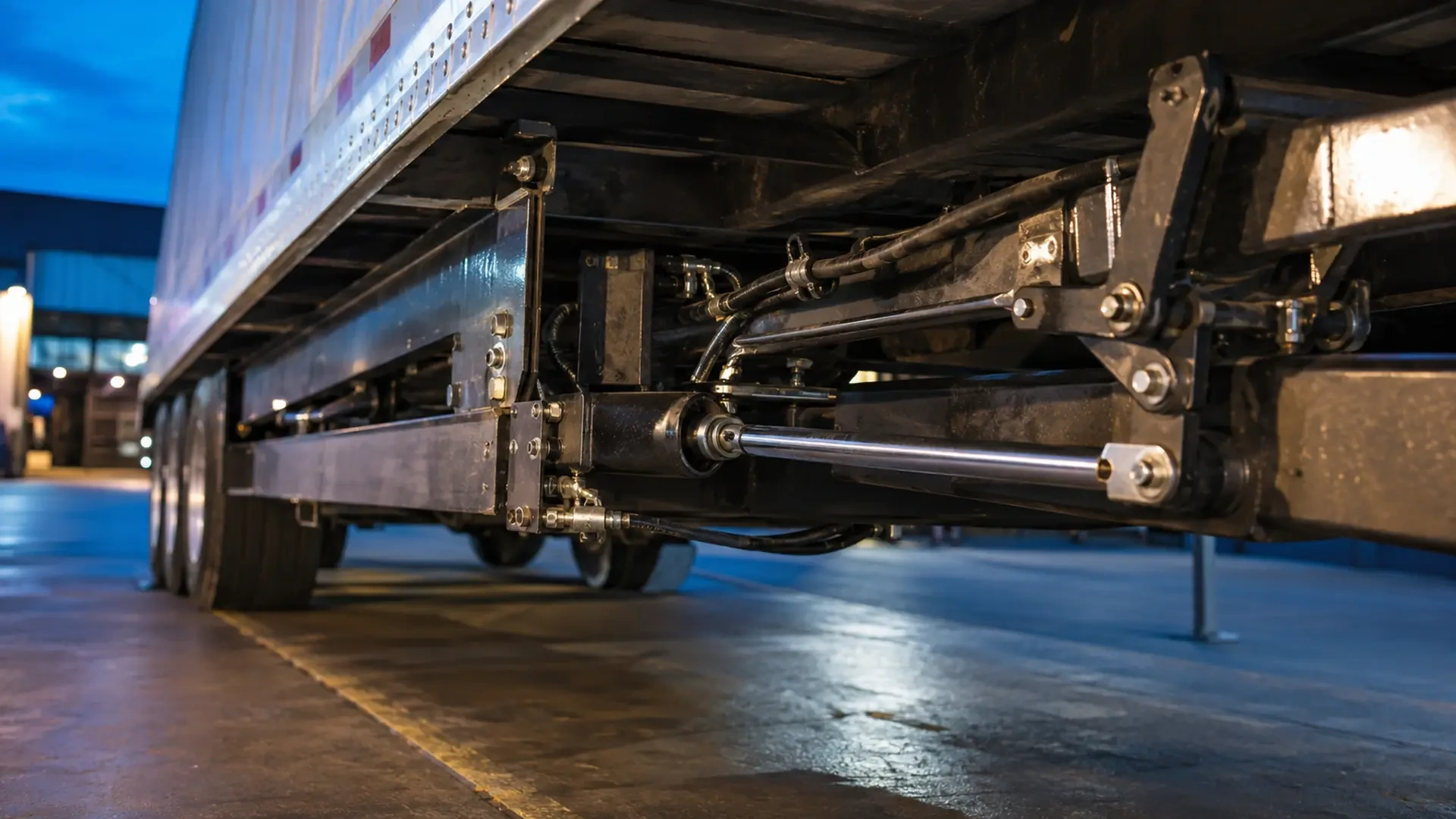
A detail image of visible fluid, wear, rubbing, buildup, deformation, or damage.
A short video showing the sequence only if it can be recorded without approaching moving equipment or the discharge area.
Label each file with the unit number, date, and event number. This prevents an image from becoming separated from the timeline it is meant to support.
Never place a phone, camera, hand, or tool between moving floor components. Do not stand beneath unsupported equipment or enter an area exposed to cargo movement or hydraulic pressure.
Compare patterns across operators and shifts
If several people use the trailer, ask each operator to record the same fields. One person may describe the event as “stopping,” while another calls it “hesitating.” The timeline can show whether they are observing the same point in the sequence.
Compare:
Load status.
Stage of unloading.
Direction of movement.
Sound or vibration.
Visible conditions.
What occurred after the interruption.
Consistent terminology helps operations and maintenance teams discuss the same symptom without forcing a diagnosis.
What to send with a repair request
When requesting Walking Floor trailer repair, send:
Unit identification and current Tampa-area location.
The last known normal operating date.
A short entry for each intermittent event.
Load status and unloading stage for each occurrence.
Any visible leak, wear, damage, sound, or vibration.
Recent maintenance and repair information.
Labeled photos or videos captured safely.
The current status of the unit: operating, parked, loaded, empty, or removed from service.
The shop can then determine what additional information is needed and which areas should be inspected. Depending on the evidence and in-person findings, the next step may involve hydraulic diagnostics, floor components, slat service, maintenance, welding, or another repair area.
When not to wait for another event
Do not wait for the symptom to repeat if you see a substantial leak, loose or separated components, structural damage, uncontrolled or unexpected movement, or another condition that could put people, cargo, or equipment at risk.
A complete timeline is useful, but safety takes priority. Record only what can be observed without entering a hazardous area or operating a unit that should remain stopped.
Request Walking Floor repair in Tampa
If your Walking Floor stops and starts or behaves differently between unloading events, contact Brothers Truck Trailer with the symptom timeline, unit information, recent service history, and safe visual documentation.
Brothers Truck Trailer is located at 1620 S 51st St, Tampa, FL 33619. Call +1 (813) 750-6380 or email [email protected] to discuss Walking Floor repair, maintenance, hydraulic diagnostics, slat replacement, aluminum welding, fabrication, or related trailer service.
Does your Walking Floor stop and start? Send Brothers Truck Trailer a clear event timeline, the unit details, and safe photos so the service conversation can begin with useful evidence.

Expert commercial trailer repair in Tampa for Walking Floor, aluminum welding, and fleet maintenance. Minimize downtime with Brothers Truck Trailer Repair.

Preventive maintenance for commercial trailers: inspection checklists, Walking Floor care, aluminum repairs, and fleet service in Tampa Bay.

Master walking floor trailer hydraulic troubleshooting with expert diagnostics, safety protocols, and repair strategies to minimize fleet downtime.